
See what is wrong with your site in about a minute.
This is a real report — not a mock-up, and not our own site chosen for flattering it. Here is how it was produced:
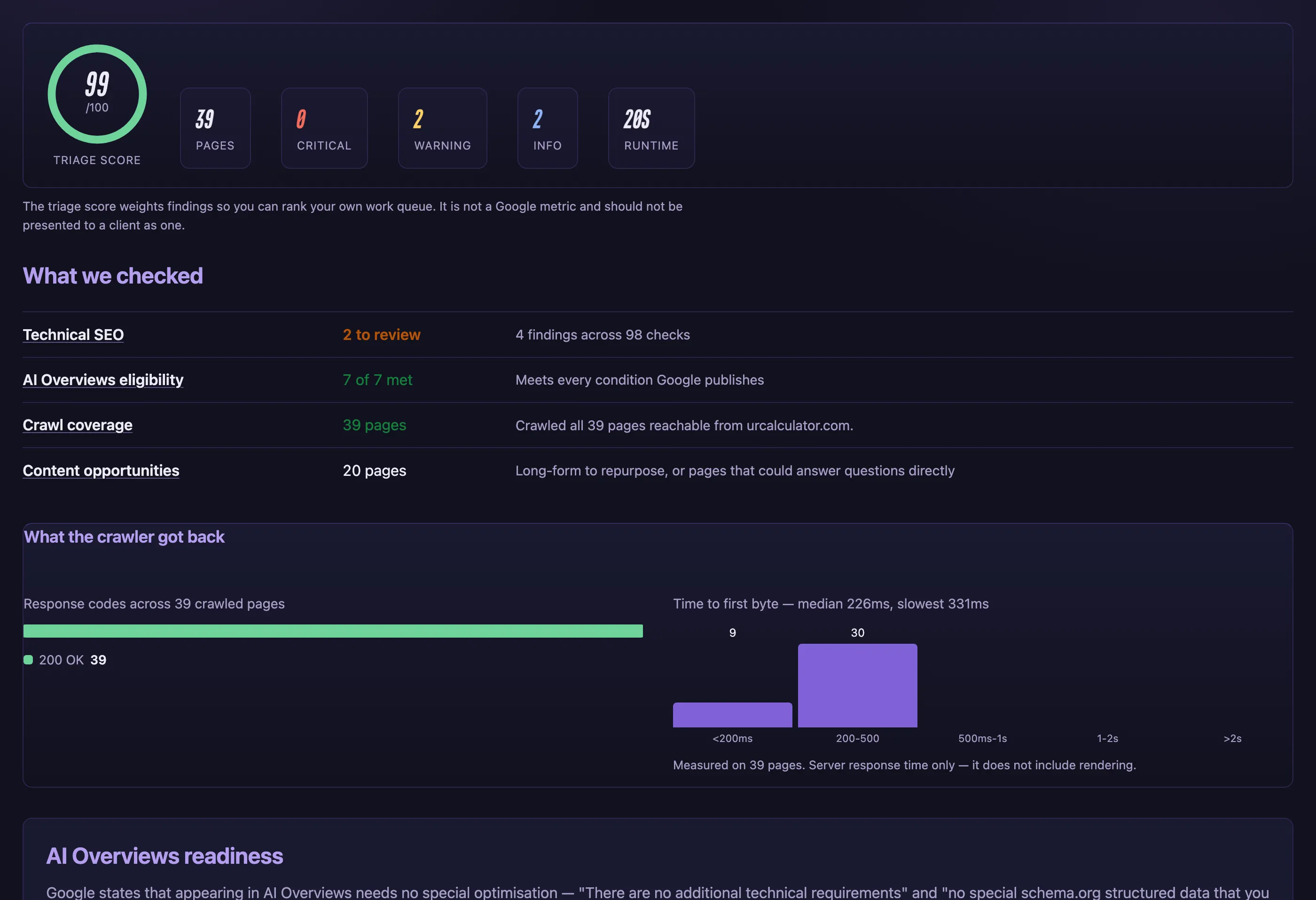
- We crawled all 39 pages urcalculator.com links to, in 20 seconds
- Ran 101 checks, 48 of them quoting Google's own documentation
- Went back to the live site and re-checked a sample of pages behind each finding
Free · no account required
What every audit gives you
Verification
Every finding re-checked against your live page.
Most SEO tools never check whether the fault is real
So you spend a weekend fixing things that were never broken, while the one that is costing you traffic stays open.
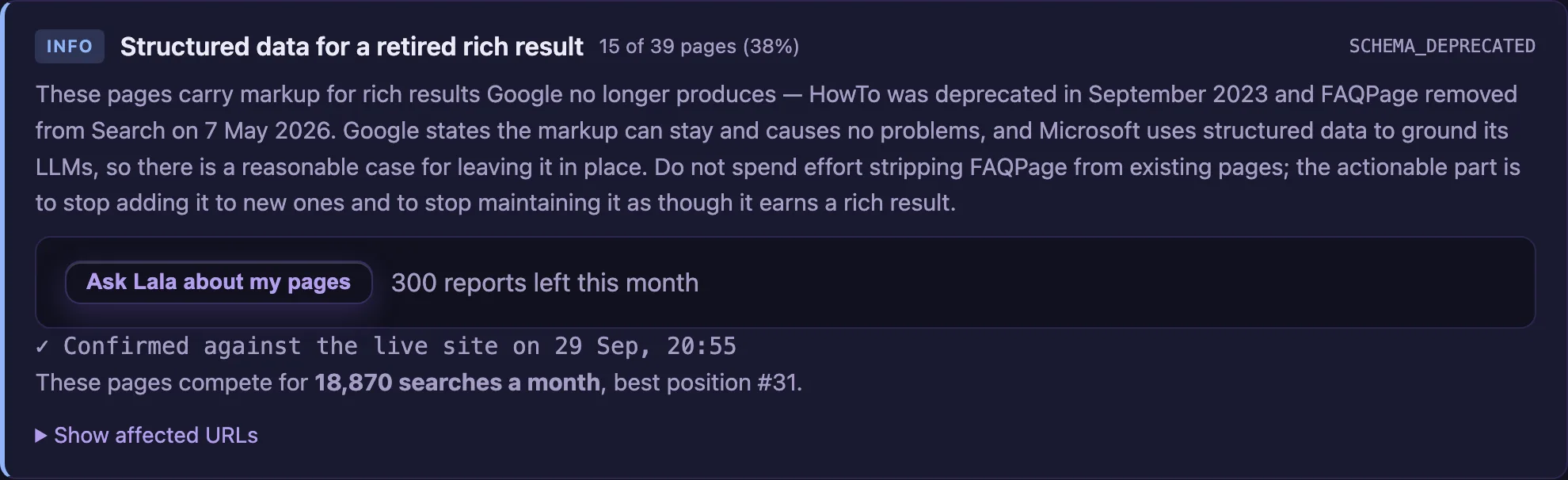
- Confirmed — we re-fetched the page and saw it again
- Not verified — said plainly, never dressed up
Triage score
One number that orders your work queue.
Forty findings in a list, and no idea which one matters
You fix the easy ones, feel productive, and leave the expensive fault open for another month.
- Severity counts rank your queue before you start
- Not a Google metric — the report says so itself

Coverage
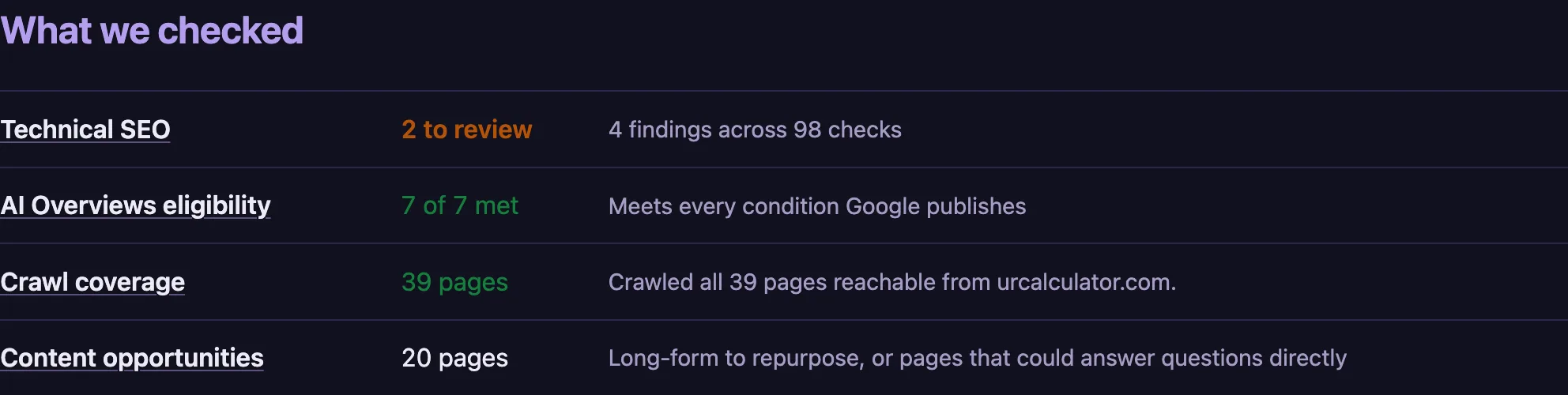
What was checked, not only what failed.
A tool that only lists failures hides what it never looked at
You cannot tell "clean" from "not checked", so you pay someone else to check the same thing again.
- Every area reports a verdict, pass or fail
- With how many pages it covers
Schema matches the page
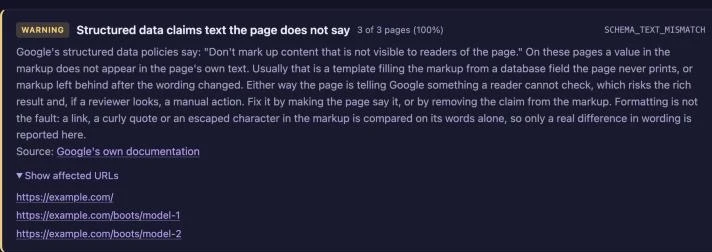
Text in your markup, checked against the words on the page.
A validator says your markup is valid, not that it is true
Google's rule is that markup must match what readers see. A validator never opens the page, so it cannot catch a claim your page never makes.
- Compared on words, never on formatting
- A whole section at once
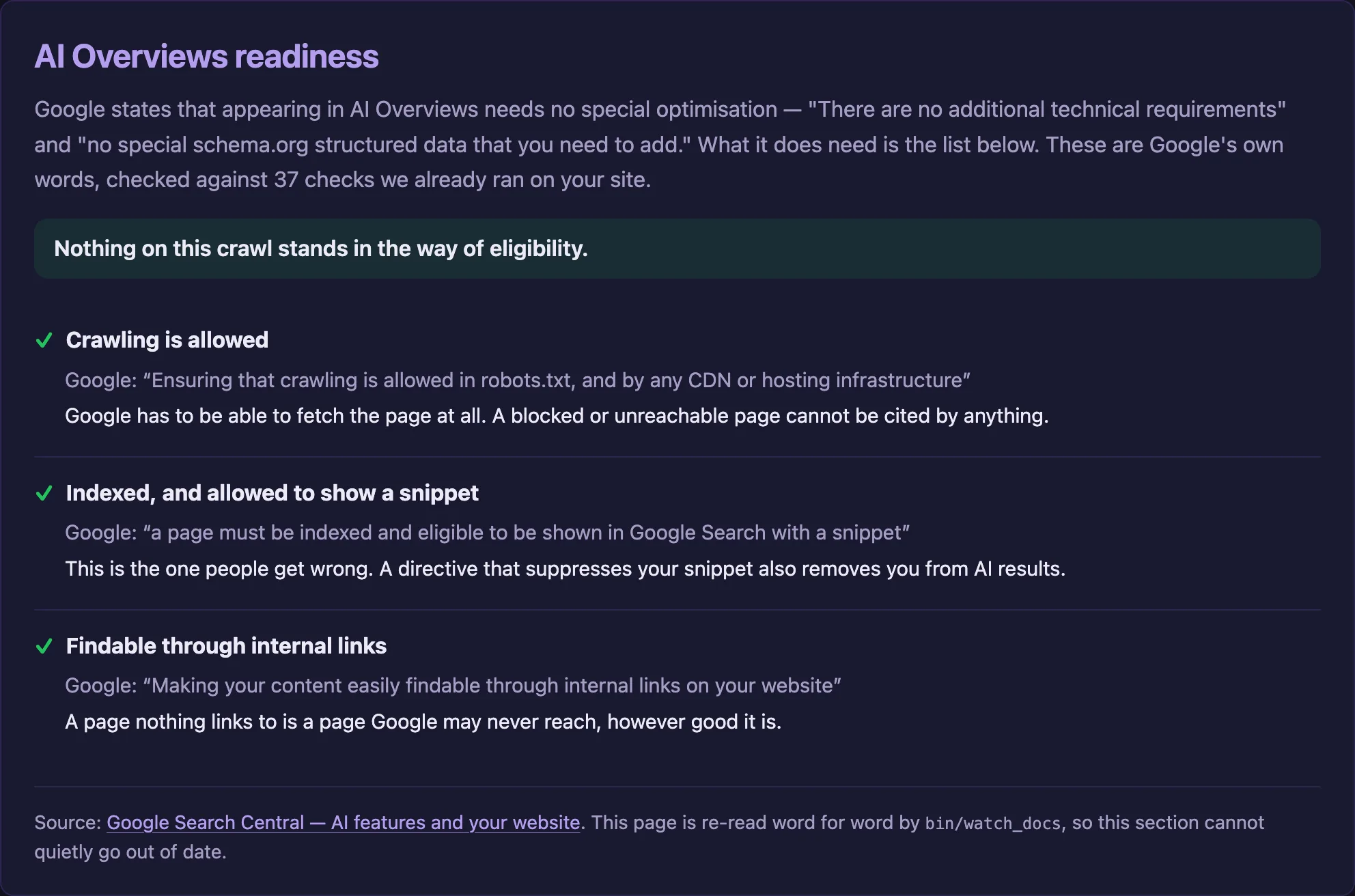
AI Overviews readiness
Google's published conditions, checked one by one.
Everyone is selling "AI optimisation" they invented
You buy schema Google never asked for, and still cannot be quoted because one directive on the page blocks your snippet.
- Google's published conditions, quoted word for word
- Not a score — nobody can measure being cited
Speed
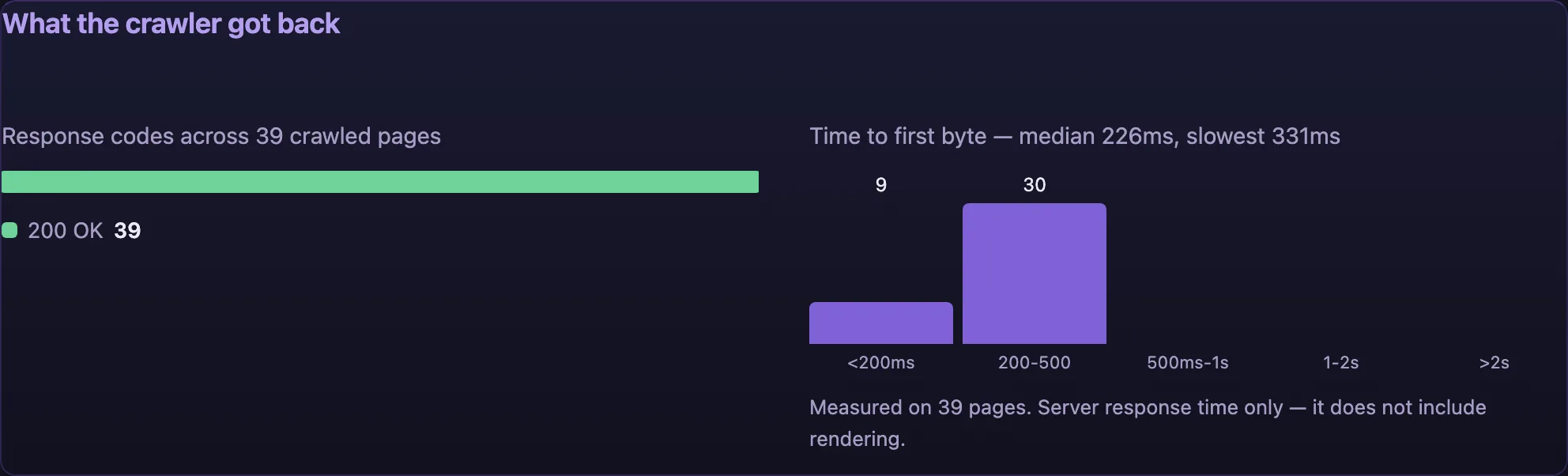
Response codes and time to first byte, from your pages.
A lab score will not tell you which pages are slow
Visitors leave before anything paints, and the crawler meets the same wait on every page it fetches.
- Response codes across every page crawled
- Time to first byte, bucketed, with the median
Progress
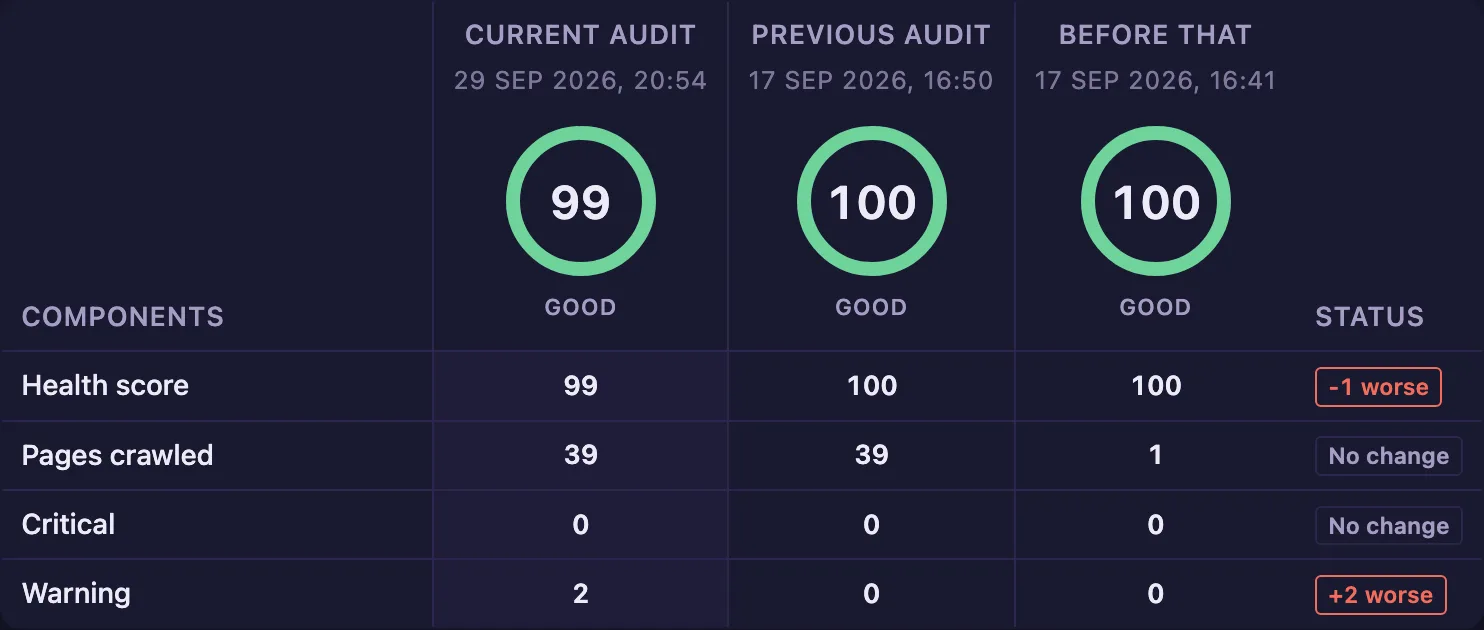
Every audit kept, so you can see what changed.
You fix things and never find out whether it worked
So the same fault comes back, or a deploy quietly undoes last month's work and nobody notices for a quarter.
- Side by side with the two runs before it
- Better or worse, called out per component
Crawl scope
Whole site, one page, or one section.
An audit of the wrong pages tells you nothing
Crawl a whole shop when you changed one blog, and the finding you needed is buried under four hundred.
- Whole site, one page, or one section
- robots.txt obeyed by default
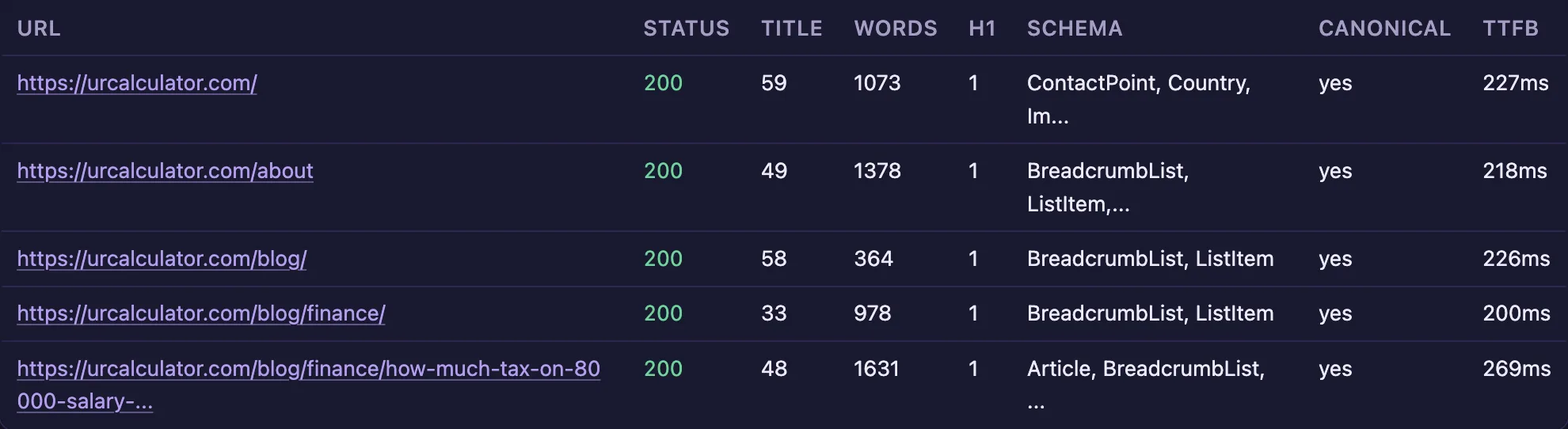
Page evidence
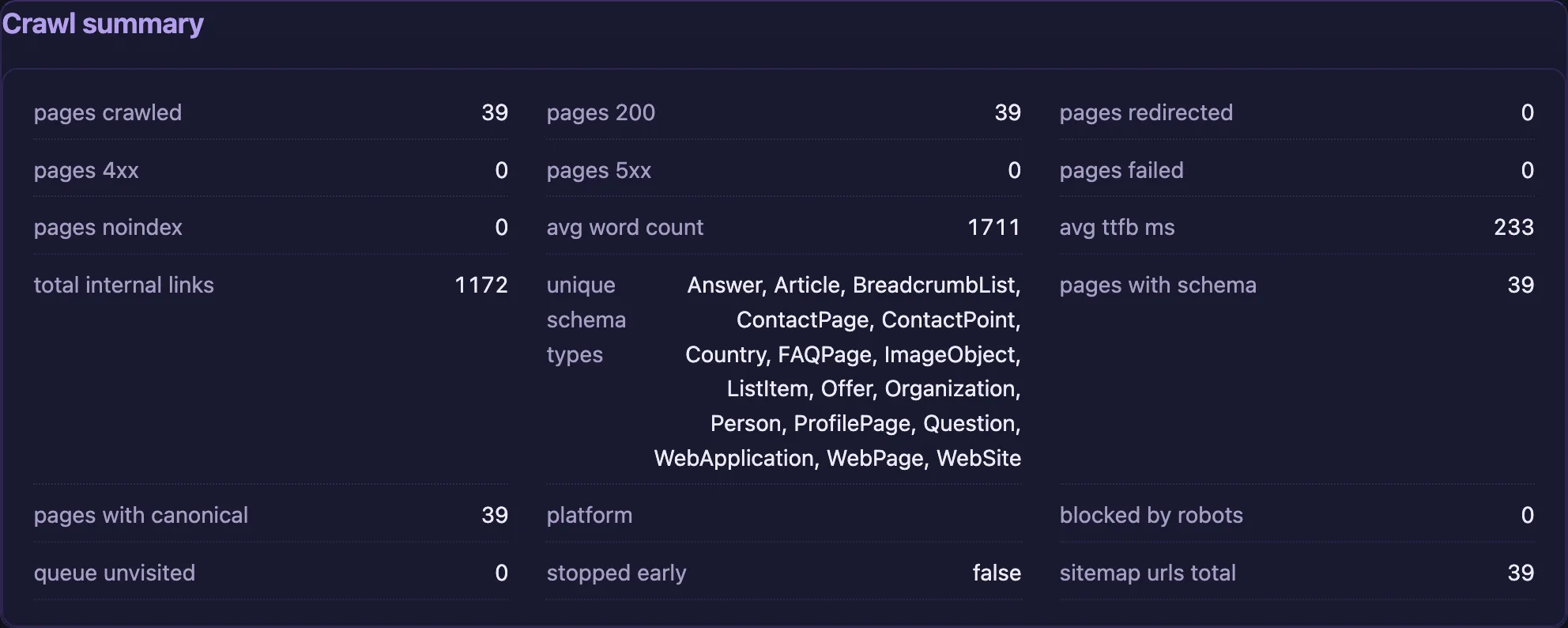
Every page crawled, with the data behind each finding.
A finding you cannot check is a finding you cannot act on
Your developer asks which pages, you cannot say, and the ticket dies in the backlog.
- Status, title, words, schema, canonical, response time
- JSON export of every page crawled
The 101 checks, and what each one costs you
Indexing
Canonicals, redirects, orphan pages and soft 404s.
Pages Google never sees
- Canonicals and redirects — the wrong one hides a page
- www, non-www, http, https — four sites competing as one
- Orphan pages nothing links to
- Soft 404s that look fine
Titles and snippets
What the searcher sees before deciding to click.
Pages nobody clicks
- Titles measured in pixels, as Google cuts them
- Descriptions cut before the offer is read
- Headings that answer no question
Delivery
Core Web Vitals, compression and what Google cannot load.
Pages that cost you to serve
- Core Web Vitals from real visitors
- Missing compression — bytes paid for twice
- Blocked resources Google cannot load
- Domain expiry — the deadline that ends the site
Platform quirks
What Shopify and non-Latin scripts break for you.
Faults your platform creates
- Shopify — the duplicate URLs it makes
- Indic scripts — Hindi, Tamil, Bengali and six more
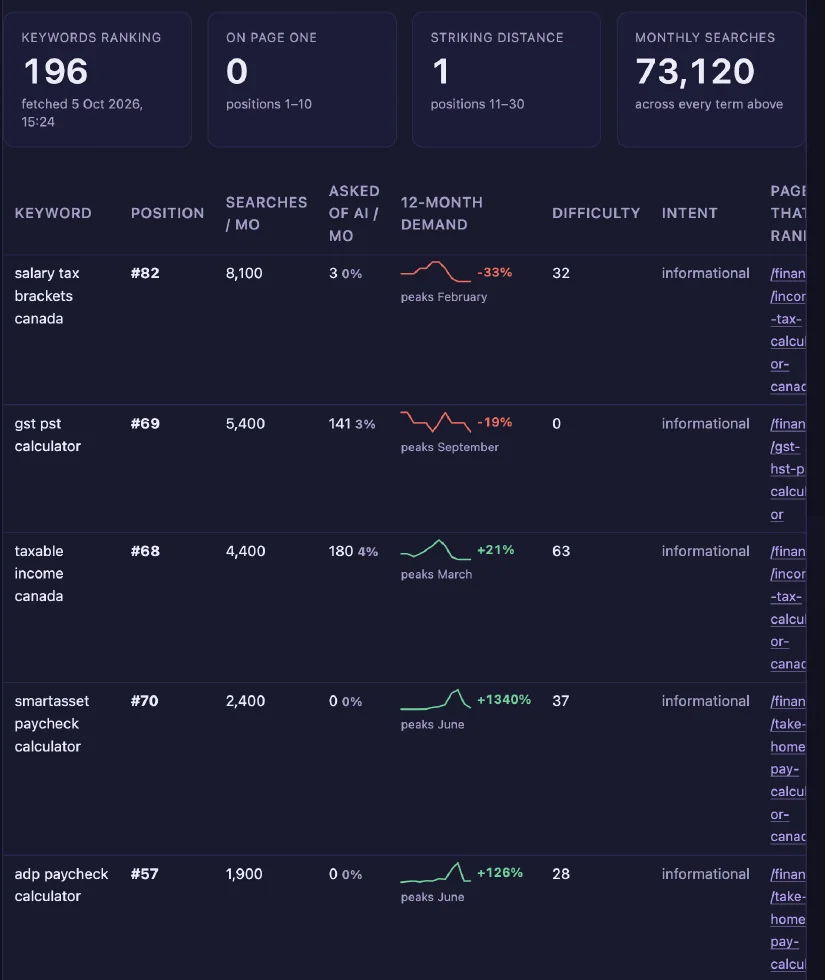
Keyword rankings
Every term the site ranks for, and the page that earns it.
You cannot fix a page when you do not know what it is for
So you rewrite a page that worked, and leave real demand unanswered.
- Position, volume, difficulty, intent
- The page that earns it
Backlinks
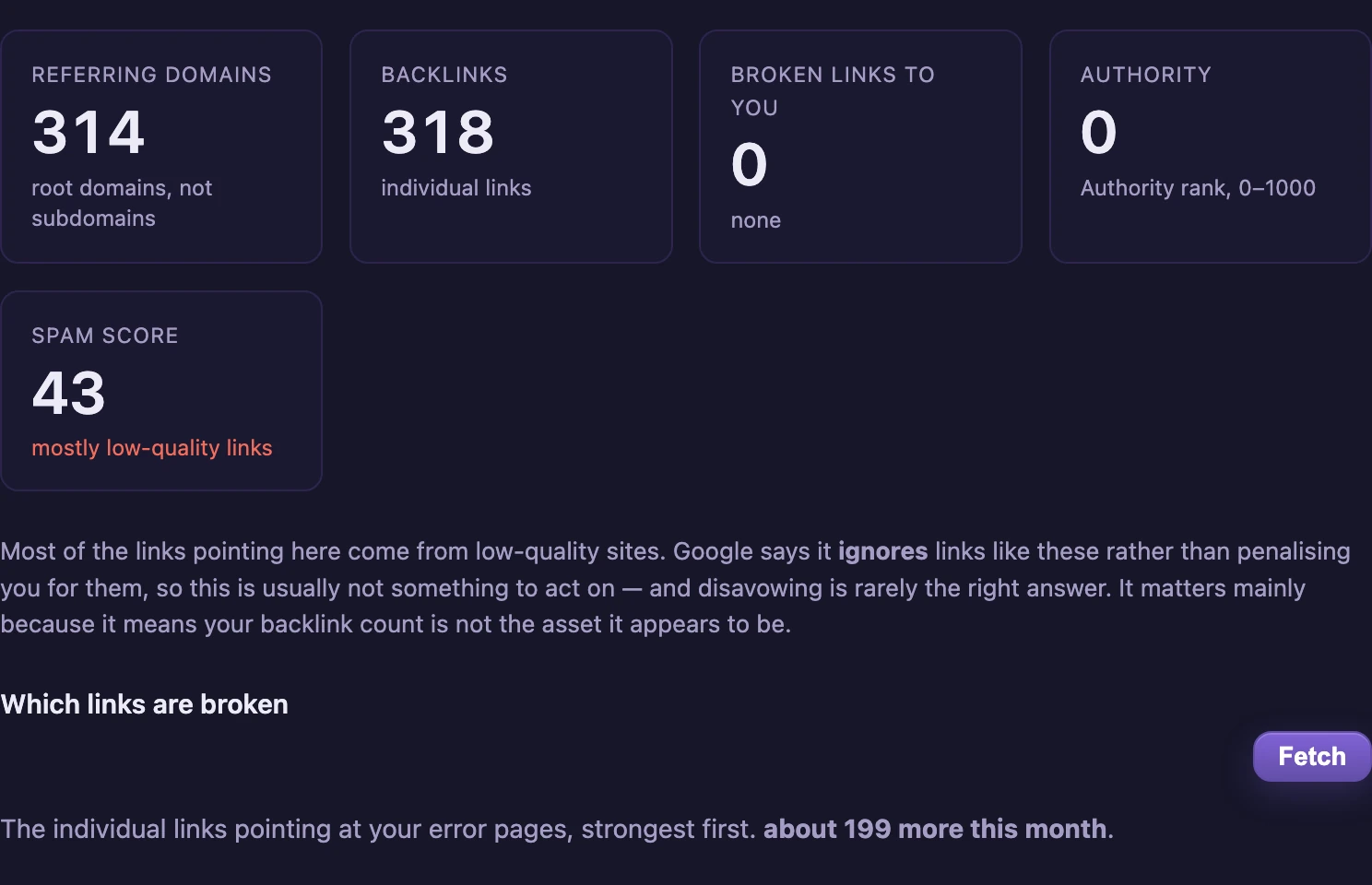
Referring domains, authority and spam score.
A big backlink number can be worth nothing
You quote the count to a client, and most of it is links Google already ignores.
- Referring domains, authority and spam score
- What to do about it — usually nothing, and we say so
AI mentions
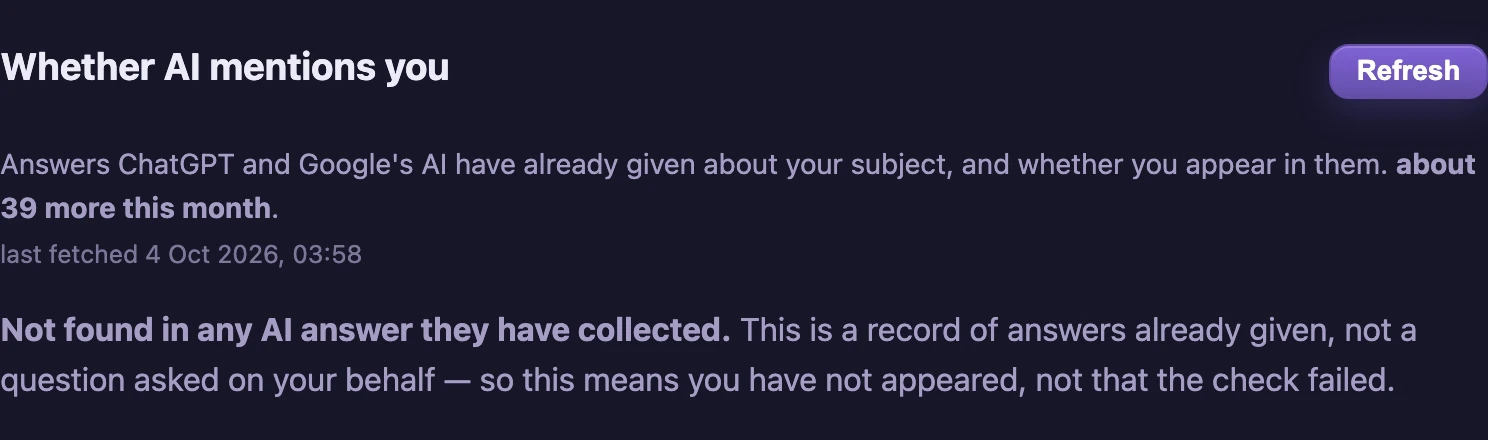
Whether ChatGPT and Gemini name you in their answers.
Answers are given about you without your page
ChatGPT and Google's AI answer your customers today, and nobody tells you whether you were in the answer.
- Answers already given, not a question we asked for you
- "Not found" means not found — never a failed check dressed up
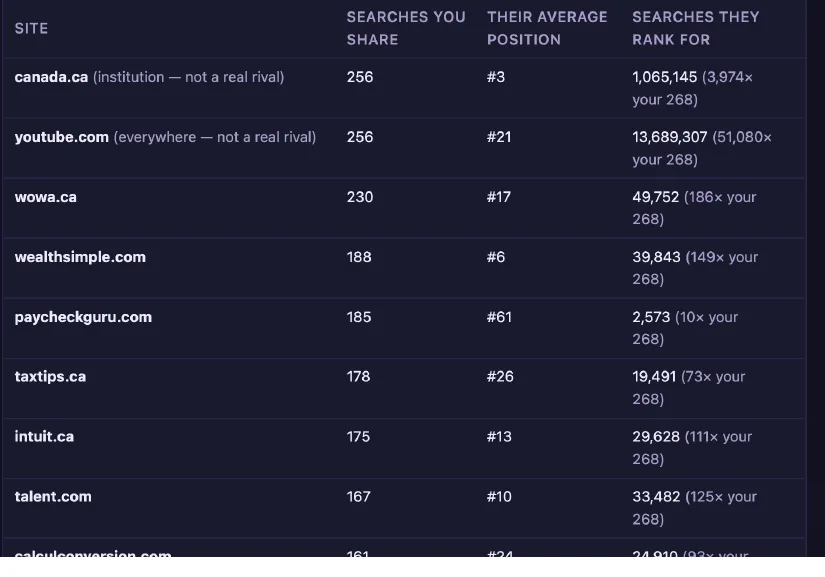
Competitors
Who shares your searches, and which are real rivals.
Half the sites you think you compete with are not rivals
So you benchmark against Wikipedia and never find the site your own size that you could beat.
- Institutions and giants marked as such, not counted as rivals
- Closest to your size named, because that is the winnable one
What we will not tell you: where you will rank. Nobody outside Google can see how ranking is decided. We check what Google has published, and say plainly which findings we verified and which we did not.